
- Install the "Classic Editor" plugin and activate it
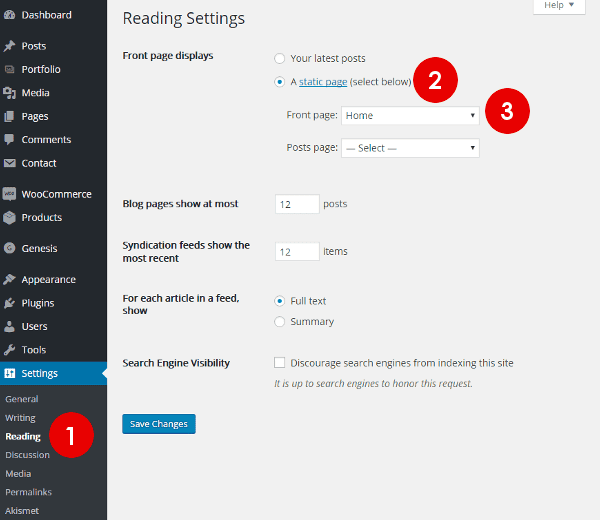
- Navigate to Settings >> Reading
- Select "A static page"
- Choose your "Front page". For example: A page titled "Home"
Make sure your "Front page" has Full Width layout.
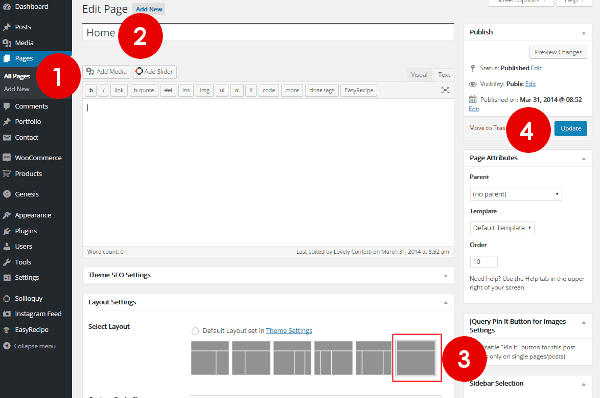
- Navigate to Pages >> All Pages
- Select or Create "Home"
- Select the Full Width Option under "Layout Settings"
- Click "Update" to save settings
Once the front page is specified, widgets will automatically load on the homepage.


